Maison Francis Kurkdjian Shipping Alert? Check Order & Route
- Published
- Updated
If your Maison Francis Kurkdjian perfume order shows conflicting logistics alerts, do not rush to pay again, resubmit for shipping, or switch routes. First, put the product, order, warehouse, and shipping alerts into a single record, then determine whether the issue lies in ordering, warehouse processing, or liquid shipping. ## Save Current Evidence First Before proceeding, record the following and keep screenshots or order records: -
Editor score 4.2 / 5
Menu
If your Maison Francis Kurkdjian perfume order shows conflicting logistics alerts, do not rush to pay again, resubmit for shipping, or switch routes. First, put the product, order, warehouse, and shipping alerts into a single record, then determine whether the issue lies in ordering, warehouse processing, or liquid shipping.
Save Current Evidence First
Before proceeding, record the following and keep screenshots or order records:
- Fragrance name and specific scent
- Size and product variant
- Product page link
- Order number
- Payment time and status
- Current warehouse status
- Exact logistics alert text shown on the page
- Time of inquiry and time zone
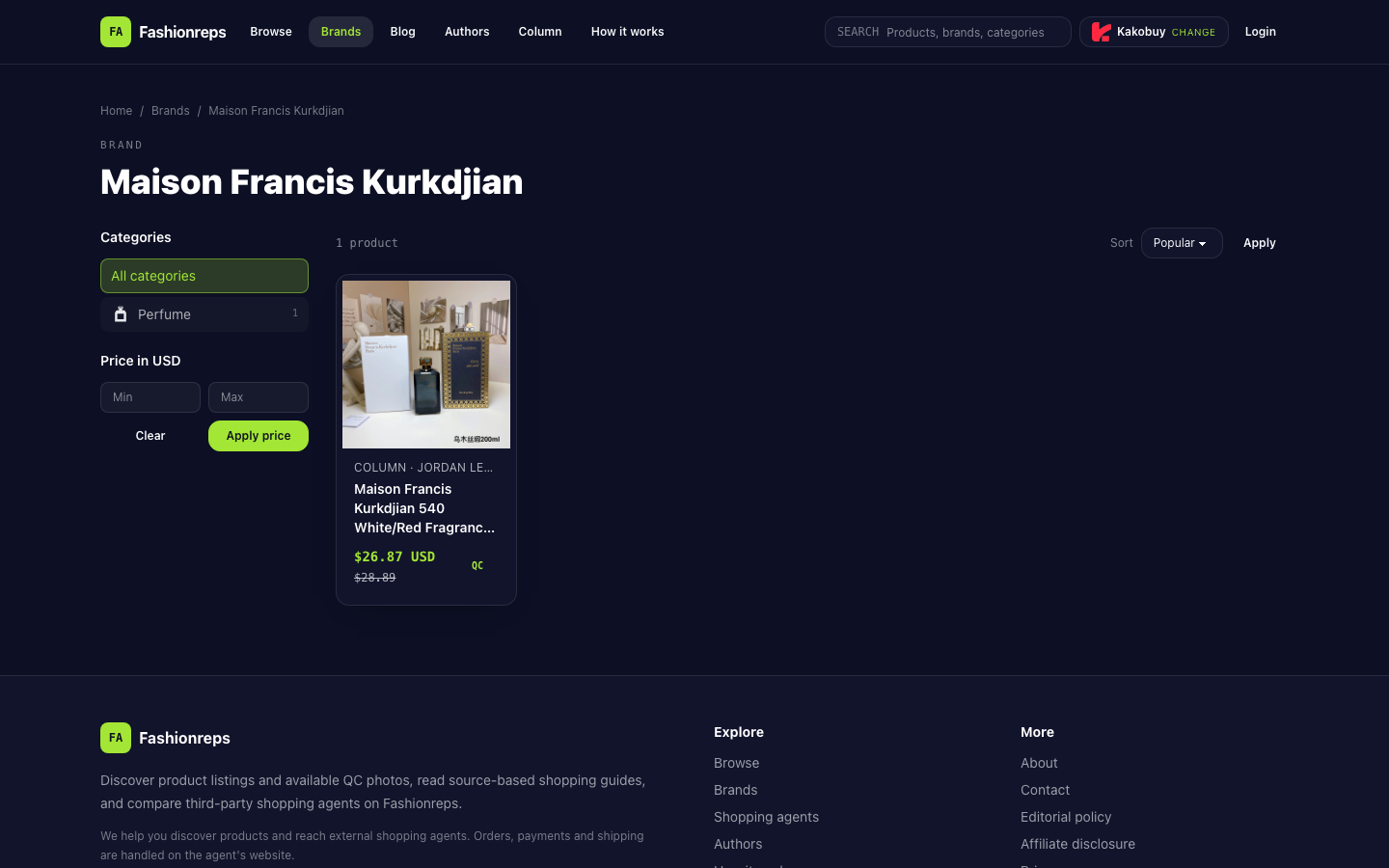
Fashionreps' Maison Francis Kurkdjian brand page currently shows 1 product, with a summary mentioning that it covers multiple MFK lines and comes in 70ml and 200ml sizes; the listed reference price is $26.87, previously $28.89, with a QC mark. This is page display information, not equivalent to stock, final price, shipping cost, or shipping availability for a specific order.

Check Six Points in Order
1. Verify Product Variant
First confirm that the fragrance and size in your order match the selection on the product page. When names are similar, sizes differ, or the variant is unclear, do not assume which product your order corresponds to based on the brand name alone. Compare the variant text in your order details with what is currently shown on the product page.
If the product page only shows brand-level or aggregated information, and your order details do not clearly show the fragrance, size, or quantity, save evidence and inquire with official support; do not modify your order yourself to "test" the correct option.
2. Verify Order Generation
Check whether the payment record and order status correspond to the same order number. Distinguish the following situations:
- Page shows paid, but no trackable order number
- Order generated, but payment status not updated
- Order exists, but item status remains pending
- Multiple orders or duplicate charges for the same product
These statuses cannot replace one another. Payment success does not mean the product has been purchased; order generation does not mean the product is in the warehouse, nor does it mean you can select a liquid shipping route.
3. Identify Which Stage the Alert Pertains To
Note the page and object where the alert appears: it may be on the product page, order page, warehouse page, or international shipping page. Do not treat general reminders on the product page as a final judgment for your order, nor interpret shipping page restrictions as cancellation.
If two pages show conflicting information, record the differences by "page location, exact alert text, display time." For example, the order page may still show processing while the shipping page indicates the need to confirm a liquid route. In that case, first confirm whether the order has entered the warehouse or is ready for shipping before deciding the next step.
4. Check Liquid Shipping Restrictions
Perfume is a liquid item; whether it can be shipped, which routes are available, and what declaration is required must be based on the specific judgment for your current order or the official support channel. Do not infer that your order can be shipped based on other products, past orders, or other buyers' experiences.
Specifically, distinguish among three types of information:
- Is the page only a general notice?
- Has the current order been marked as a liquid item?
- Has the system provided specific selectable routes?
If there is only a general notice and no route result for your order, mark the status as "pending confirmation" rather than selecting a regular route yourself.
5. Check Warehouse Processing Status
Confirm whether the product has arrived at the warehouse, whether warehouse records are complete, and whether there are pending QC or reconfirmation items. The QC mark on the product page only indicates QC-related display on the page, not that your order has passed warehouse inspection.
If the order status, warehouse status, and logistics page show different stages, save screenshots and times for each, and wait for official support to check backend records using your order number.
6. Use Official Support Channel
Submit one complete explanation through the official support channel on the order page or platform, including order number, product link, fragrance, size, payment time, warehouse status, conflicting alert texts, and screenshots. Clearly state that you need confirmation of the order's current stage, liquid shipping restrictions, and whether any action is required.
After submitting, save the ticket number or chat record. Do not create multiple identical requests, and do not repeatedly submit shipping or switch routes before receiving a clear answer, to avoid duplicate processing records.
Use a Single Record to Decide Next Steps
| Check Result | Recommended Action |
|---|---|
| Product variant, order number, and payment status match, but logistics alerts conflict | Pause shipping actions, submit one official verification request |
| No clear order number or payment status mismatch | Check payment records first; do not pay again |
| Product is in warehouse, but liquid route not confirmed | Wait for route confirmation specific to your order; do not apply experience from other products |
| Multiple orders, duplicate charges, or duplicate shipping records | Stop new actions, compile all numbers, then contact official support |
When to Stop All Actions
Pause and stop clicking pay, submit shipping, or switch routes if any of the following occur:
- Multiple order numbers for the same product, and you cannot determine which is valid
- Payment record does not match order status
- Fragrance or size does not match the paid variant
- Page indicates liquid restrictions but offers no applicable route
- Warehouse status not confirmed, but logistics page demands immediate shipping
- Official support has not confirmed the success of the previous action
- Alert text changed, but you did not save the old text and inquiry time
This troubleshooting only confirms whether records are consistent; it cannot replace the platform's backend judgment for a specific order. The verifiable brand page information is insufficient to prove that an order is out of stock, ready to ship, or that there is a platform malfunction; until you get order-level confirmation, the safest approach is to save evidence, submit only one complete support request, and pause any actions that could cause duplicate payments or shipments.
Daniel Reyes is Editor-in-Chief, covering cross-border shopping agents, QC photo review, warehouse consolidation, and shipping-line comparison. They write most of the agent-fee and shipping-line explainers, maintain the desk's five-point scoring standard, and sign off on every published score. Each review receives two checks: the order log of agent fee, QC time, shipping line, and arrival date, followed by the bench notes. Before a new score goes live, Daniel compares it with the last six months of retests, connecting the review's explanations, test records, and scoring checks.