Sp5der Black Sweatpants Size Conflict: Check Waist & Inseam
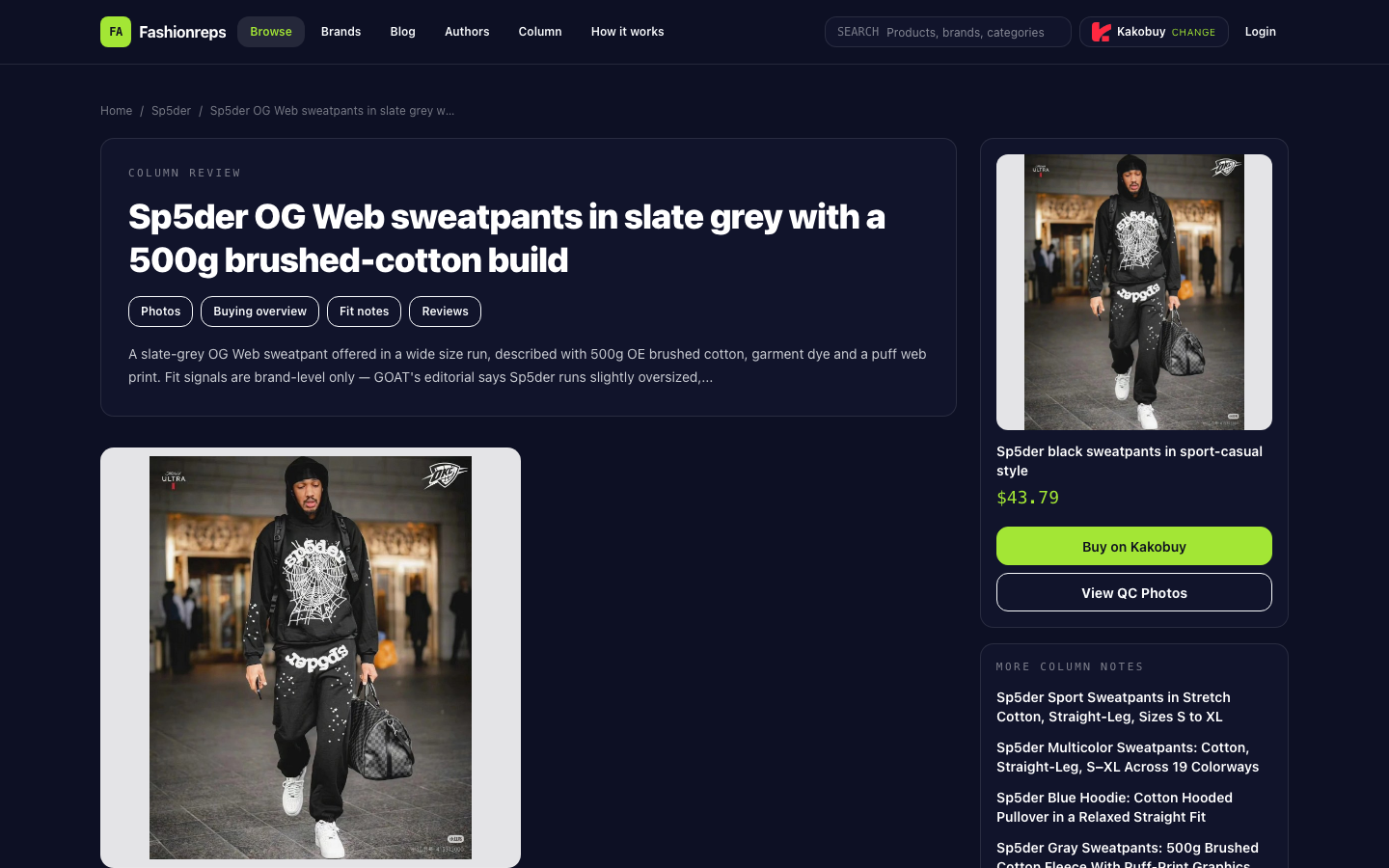
- Published
- Updated
When a page shows two different size ranges, don't just order based on the brand's fit or your usual size. For these Sp5der sweatpants, the current listing says S–XXL in one place and lists S, M, L, XL, 2XL, 3XL in another. The safer move is to first confirm which sizes the seller actually has available, then ask for waist and inseam measurements for the size you want, and finally cross-check with QC photos of the color you're targeting. 
Schematic of the page's size and variant information.
Treat the Two Size Ranges as an Unresolved Conflict
The product page currently shows two sets of size information that don't fully match:
| Page Information | Visible Range | Risk Before Ordering |
|---|---|---|
| Size range description | S–XXL | May not include 3XL |
| Size list | S, M, L, XL, 2XL, 3XL | Could be a template or outdated info |
This doesn't prove 3XL is actually in stock, nor does it prove XXL corresponds to the exact same fit in both places. Before buying, you should have the seller clearly confirm three things: the complete list of sizes available to order, which sizes are actually in stock, and which piece of information on the page is the most current.
If the seller just says "all sizes available" or tells you to check the page without confirming specific sizes, it's best not to pay. Until the size range is explicitly corrected, the largest size shown on the page should be treated as unconfirmed.
Ask for Waist and Inseam, Not Just "Does It Run Big?"
Brand-level fit info is only a starting point. The GOAT brand notes cited in the existing material say Sp5der fits slightly loose overall, but there's not enough evidence to prove these specific sweatpants will fit all body types the same way, and there are no buyer fit reviews for this item to cross-reference.
Ask the seller for flat lay waist and inseam measurements for the specific size, and ideally ask them to explain how they measure. You can ask in this order:
- First confirm the size you plan to buy is actually available.
- Ask for flat lay waist measurement for that size.
- Ask for inseam measurement from crotch to hem.
- Ask if the waistband is elastic and if there's a drawstring.
- Have the seller confirm the measurements are for the current OG Web sweatpants, not another style from the same brand.
Once you get the numbers, compare them to measurements from sweatpants that fit you well. Don't just compare the tag size like S, M, or XL, because different cuts and measuring methods can make the same size measure differently.
How to Tell If Brand-Level Loose Fit Info Is Enough
If you only need a general direction for fit, the slightly loose brand-level info can help you avoid blindly sizing up. The existing material clearly notes that GOAT's description does not support buying a size up just because it's "slightly loose." So don't interpret "loose fit" as "you should size up."
But if your waist measurement is close to the boundary between two sizes, or if you have specific inseam requirements, brand-level info isn't enough. In that case, rely on the seller's waist and inseam measurements for this item. If the seller can't provide them, treat the item as lacking size evidence rather than guessing based on experience.
Also Check Color and Product Identity
The page title in the material points to black sweatpants, but the product summary describes the color as slate-grey, a greyish tone. This discrepancy shouldn't be ignored. Before ordering, confirm:
- Whether the variant you can actually buy is black or grey.
- Whether the QC photos match the color and size you selected.
- Whether the print placement, pant color, and main image match each other.
- Whether the QC photos are from the current order or batch, not reference photos of a different color.
The product material describes 500g, 21s OE cotton, brushed interior, garment-dyed, and full web puff print. These are catalog descriptions and don't replace current QC photos. Especially when the page itself has conflicting color info (black vs. slate-grey), color confirmation should come before payment.
Stop Conditions Before Paying
If any of the following apply, hold off on ordering:
- The seller hasn't confirmed whether S–XXL or S–3XL is the valid size range.
- Your size is listed on the page, but the seller hasn't confirmed it's actually available.
- The seller can't provide waist and inseam measurements for that size.
- QC photos don't indicate the color or can't be confirmed as this sweatpant style.
- The page title and description have inconsistent colors, and the seller hasn't explained.
The minimum evidence to order is: seller confirms the size range, waist and inseam for your size are available to verify, and the color matches QC photos. If any of these are still missing, don't treat the brand-level "slightly loose" as a fit guarantee for this item.
Conclusion
The key issue with these Sp5der sweatpants isn't simply choosing XXL vs 3XL; it's that the page shows two conflicting size ranges. First confirm the sizes actually available to buy, then ask for waist and inseam, then check the target variant—black or slate-grey—and its QC photos. Without that info, the brand-level loose fit opinion only helps you guess the direction; it can't replace actual size evidence for this item.
Daniel Reyes is Editor-in-Chief, covering cross-border shopping agents, QC photo review, warehouse consolidation, and shipping-line comparison. They write most of the agent-fee and shipping-line explainers, maintain the desk's five-point scoring standard, and sign off on every published score. Each review receives two checks: the order log of agent fee, QC time, shipping line, and arrival date, followed by the bench notes. Before a new score goes live, Daniel compares it with the last six months of retests, connecting the review's explanations, test records, and scoring checks.