Troubleshooting Acne Studios Size Submission Issues
- Published
- Updated
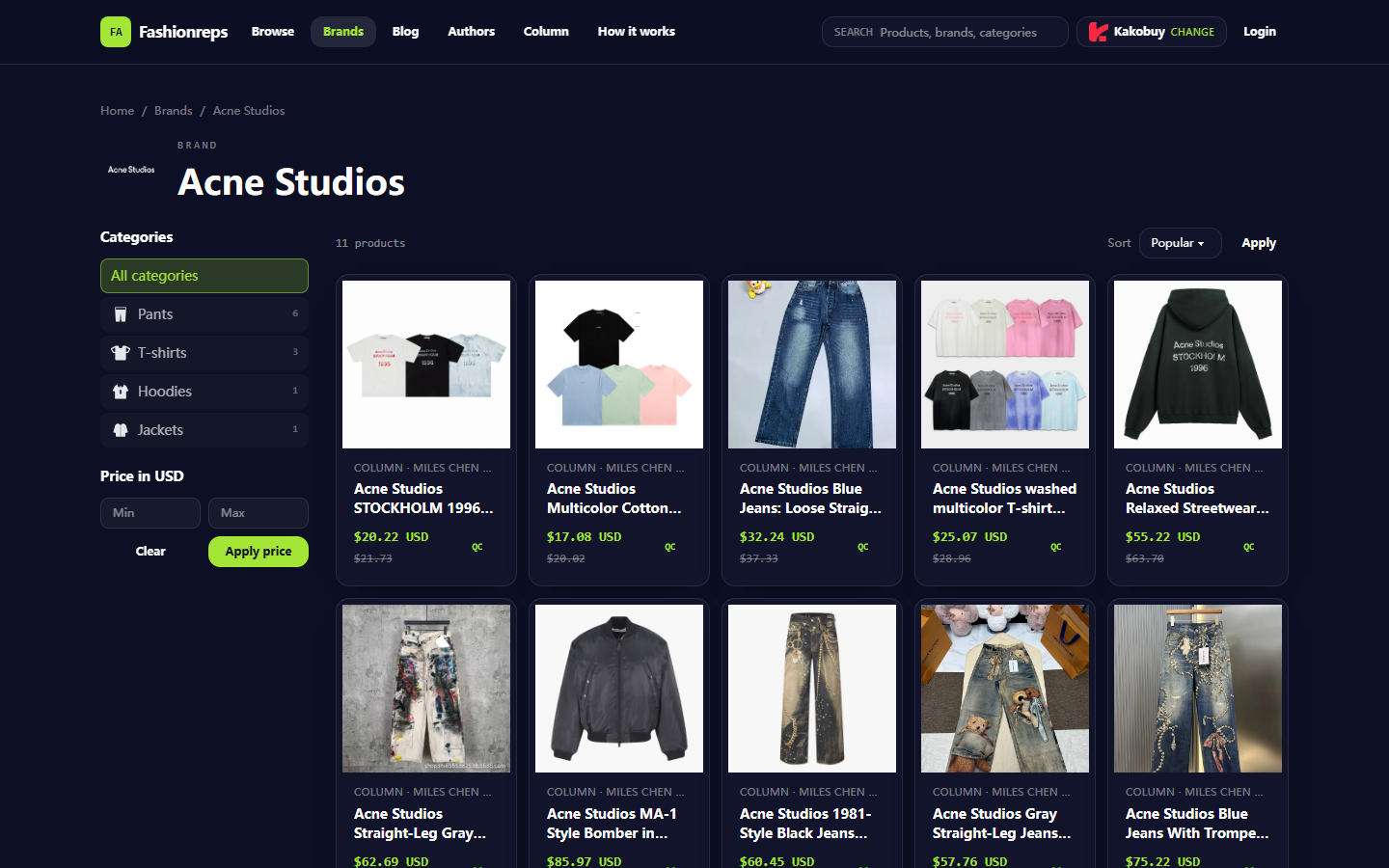
# Troubleshooting Acne Studios Size Submission Issues  Image: [Fashionreps Acne Studios](https://fashion-reps.net/brand/acne-studios) brand catalog page, used to confirm brand entry and product categories; does not [represent](https://fashion-reps.net/brand/represent) a specific product currently experiencing issues. Verification date: October 9, 2026 If you see an Ac
Editor score 4.2 / 5
Menu
Troubleshooting Acne Studios Size Submission Issues

Image: Fashionreps Acne Studios brand catalog page, used to confirm brand entry and product categories; does not represent a specific product currently experiencing issues.
Verification date: October 9, 2026
If you see an Acne Studios product on Fashionreps but can't submit the size option, don't immediately assume it's out of stock, the size won't fit, or the product is unavailable based on the unresponsive button. This could be due to page loading, variant fields, product link status, or parameter loss after redirecting to a shopping agent. This article addresses only one issue: the size has been selected or is ready to be selected, but the page cannot proceed to submission.
After troubleshooting, you should be able to determine:
Whether the issue occurs on the Fashionreps product page or on an external shopping agent page.
Whether the selected style, color, and size are actually retained by the page.
Whether you can proceed to the cart or order preview for further verification.
When to pause and contact official support.
This article does not apply to situations where you have successfully added to cart but later encounter payment failure, warehouse inspection anomalies, shipping delays, or return/exchange disputes. Those issues require separate verification of the corresponding platform's records. 🔎
Clarify the Symptoms of Size Option Submission Failure and the Scope of Troubleshooting
First, record the actual symptoms; don't just remember "can't click." Common situations include:
The size dropdown won't expand.
After selecting a size, the option immediately resets to blank.
The page prompts that you must select a size, but you have already done so.
Clicking "Buy" or "Add to Cart" produces no response.
After redirecting to the shopping agent, the size field disappears.
The button shows a loading state but never proceeds to the next step.
Fashionreps' Acne Studios brand catalog page can display brand categories and product entries, but the catalog page itself cannot prove that every product's size fields, inventory status, or external links are valid in real time. The provided page evidence is also insufficient to confirm a uniform failure of a specific product, so troubleshooting should focus on the specific product page you are operating on.
Re-check the Style, Color, and Size Fields on the Acne Studios Product Page
After opening the product page, first confirm that you are working on the target product, not another similar style in the brand catalog. In particular, check the following:
Does the product title match the style you intend to purchase?
Do the product images, color names, and page descriptions correspond to each other?
Does the size field belong to the current color or current style, and not another set of variants displayed by default?
Is there a requirement to select color, version, or other attributes before the size field becomes active?
After selecting a size, does the page show a selected state, text change, or other visible feedback?
Do not treat letters like S, M, L, XL in the product title as currently submittable inventory. Titles may be descriptive text and cannot replace an interactive size field. If the page only shows a size range without selectable variant controls, do not assume every size is available.
When selecting, it's best to keep only one clear combination at a time, such as "Black + M." Clear other options first, then reselect color and size. This avoids the page being unable to determine which set of parameters you want to submit when multiple variants are active. 🧩
Distinguish Between Page Loading, Variant Selection, and Link Status Issues
You can perform low-risk checks in the following order:
1. First confirm that the page has fully loaded
Check whether the product title, images, price area, color field, size field, and submit button have all appeared. If the page is still loading, or images and option areas are clearly missing, do not repeatedly click the submit button.
You can do a normal refresh and wait for the page content to fully appear before operating. If fields are still missing after refreshing, record the specific content displayed and the time, and do not refresh repeatedly to avoid multiple redirects.
2. Then confirm that the size field is actually interactive
After clicking the size field, observe whether an option list or selectable buttons appear. After selecting, do not submit immediately; first check whether the page has retained the selected size.
If the field opens but the selection clears immediately, suspect variant dependencies, frontend state not saved, or that combination is no longer available. In that case, reselect the color and then the size, and observe whether the result changes.
3. Finally, check whether the external link is still valid
If clicking purchase takes you to a shopping agent page, first confirm that it is still the same product. Check whether the product name, images, color, and size fields match the Fashionreps page.
If after redirect only the product title remains without the corresponding size parameter, do not manually substitute another size from memory and proceed to payment. When variant evidence is missing, keep the page at the verification stage.
Do not repeatedly submit just because the button doesn't show an obvious error. Repeated clicking may create multiple tabs, multiple draft orders, or hard-to-distinguish operation records. ⚠️
Use Cart or Order Preview to Confirm Whether the Size Is Retained
If the page allows adding to cart, the cart is the next step to confirm whether the options were actually passed, but it is still not proof of inventory or fit.
After entering the cart or order preview, check item by item:
Is the product title still the target Acne Studios style?
Is the color the same as the one just selected?
Is the size clearly displayed, not blank, default, or vague?
Is the quantity the one you intended to submit?
Does the product link or product identification still correspond to the original page?
Only when the size is clearly displayed on the next page can you consider that the parameter has at least been retained by the system. Even if the size is displayed, do not infer inventory, material, cut, actual fit, or final purchasability. That information requires further evidence from the product page or shopping agent.
If the size in the cart differs from the selection on the product page, or the cart does not show a size, pause immediately and do not pay. Save the current page record, then return to the product page to re-verify the variant combination.
When to Pause Submission Due to Missing Size or Link Evidence
Stop further action if any of the following occurs:
The size field is empty, but the page still allows clicking submit.
After selecting, you cannot confirm which size was saved.
The cart or order preview does not show the size.
The external page does not match the Fashionreps product title, color, or image.
Multiple inconsistent pages appear after repeated clicks on the same button.
The page shows an error but does not indicate whether it's about size, link, or other fields.
The product page has redirected, cannot be opened, or only shows blank content.
Stopping does not confirm the product cannot be purchased; it only means the current evidence is insufficient to safely proceed. You can save page screenshots, record the product title, note the selected color and size, and wait for official support confirmation. Do not bypass missing fields by guessing parameters, modifying links, or repeatedly submitting. 🛑
What Page Records to Prepare When Contacting Official Support
When contacting support, provide only the minimum information needed for troubleshooting:
Product title and location of the product page.
Color and size options displayed on the page.
The variant combination you actually selected.
The specific behavior after clicking submit.
Approximate time of the issue and device or browser used.
Necessary page screenshots, ensuring they do not include order numbers, payment information, phone numbers, addresses, or other private data.
If the issue occurs at the Fashionreps product entry, prioritize explaining the behavior on the catalog page, product page, or redirect chain to Fashionreps official support. If the issue occurs only on the shopping agent page, submit the record to that shopping agent's support. Do not mix pages from two platforms in an unrecognizable screenshot, and do not publicly share complete orders, passports, payment cards, or full shipping labels.
When describing the issue, write clearly: "After selecting a certain color and size, whether the page retained the selection, whether it entered the cart, and at which step it stopped," rather than just "can't buy the size." This makes it easier for support staff to determine whether it's a field state, link parameter, or page loading issue. 📋
Do Not Infer Inventory, Fit, or Purchasability from Missing Fields
The inability to submit size options only indicates that the current operation chain is incomplete; it cannot alone prove the following conclusions:
The product is definitely out of stock.
A certain size was never produced.
The product's cut is definitely larger or smaller.
The product definitely cannot be purchased through a shopping agent.
The product page definitely has a platform-wide failure.
Fashionreps' brand catalog information can help users find Acne Studios product entries, but whether a specific product is still operable should be based on consistent records from the current product page, the redirected product page, and the cart or order preview. For time-sensitive facts such as price, inventory, size, seller, shipping, and platform policies, they should also be re-verified before submission.
Final Actions: Re-check, Ask, or Choose an Alternative
It is recommended to conclude troubleshooting in the following order:
Return to the specific Acne Studios product page and confirm the style, color, and size fields.
Select a clear variant combination again and wait for the page to show the selected state.
Enter the cart or order preview and confirm that the size has not been lost or replaced.
If still unable to confirm, save page records without personal information and contact the corresponding official support.
Until support replies or new evidence arrives, do not pay, do not resubmit, and do not modify product parameters yourself.
If official confirmation states that the link or variant cannot proceed, consider choosing an alternative product.
The direct benefit of this approach is reducing time costs from wrong sizes, wrong variants, and duplicate orders; the cost is needing to pause submission and wait for further confirmation, possibly missing short-term inventory changes. It is suitable for buyers who cannot confirm whether size parameters are retained; it is not suitable for those who already have a clear order preview and only need to handle payment or after-sales issues.
Article Image

Daniel Reyes is Editor-in-Chief, covering cross-border shopping agents, QC photo review, warehouse consolidation, and shipping-line comparison. They write most of the agent-fee and shipping-line explainers, maintain the desk's five-point scoring standard, and sign off on every published score. Each review receives two checks: the order log of agent fee, QC time, shipping line, and arrival date, followed by the bench notes. Before a new score goes live, Daniel compares it with the last six months of retests, connecting the review's explanations, test records, and scoring checks.